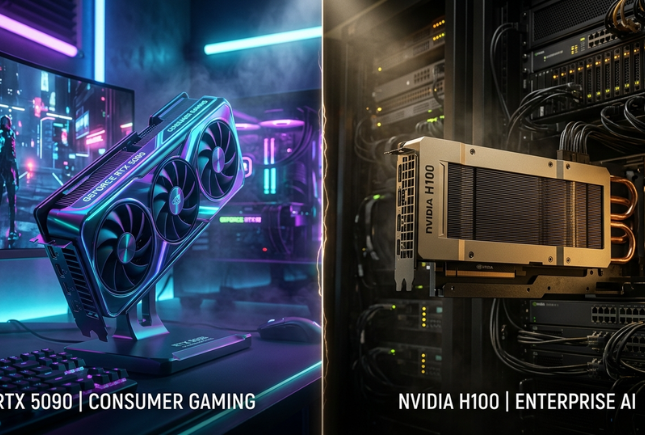
You’ve seen the leaked spec sheets and the breathless forum threads. The rumors surrounding the RTX 5090 vs H100 debate suggest that consumer silicon is finally catching up to the enterprise titans. But if you’re trying to build a local LLM or a rendering powerhouse, is a consumer GPU a shortcut or a dead end? We’re diving into the raw architecture to see if “gaming” hardware can actually survive in a “datacenter” world.
The Raw Power Paradox: Specs vs. Reality
On paper, the RTX 5090 looks like a monster designed to eat TFLOPS for breakfast. Early leaks point toward the Blackwell architecture pushing clock speeds and core counts that make the previous generation look like a calculator. When we compare RTX 5090 vs H100, the raw compute numbers might seem surprisingly close for certain FP32 tasks.
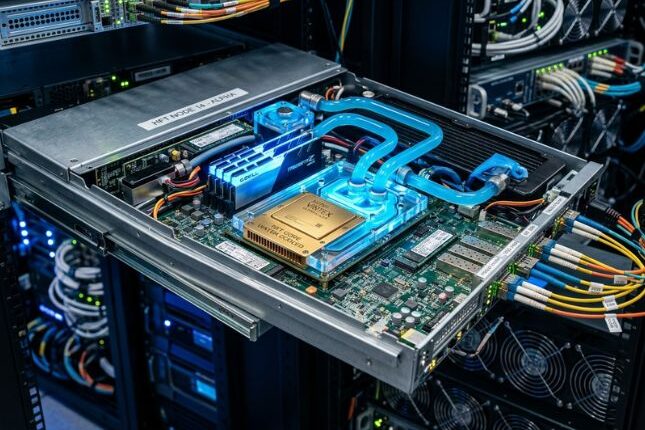
However, the H100 isn’t just about speed; it’s about the specialized Tensor Cores and the massive memory bandwidth. While we expect the 5090 to dominate in traditional rasterization, the H100 utilizes HBM3 memory which operates on a level of efficiency a GDDR7 card simply cannot match. If your workload involves training a massive model, that bandwidth bottleneck will hit you faster than a “Low VRAM” error.
We’ve seen enthusiasts try to bridge this gap by NVLink-ing multiple consumer cards. It works for a hobbyist, but the moment you scale, the consumer hardware starts to sweat. The consumer GPU is built for bursts of high performance, whereas the H100 is a marathon runner designed for 24/7 uptime at 100% load.
VRAM: The Great Barrier Reef of AI
Let’s talk about the elephant in the room: memory capacity. The RTX 5090 is rumored to carry a hefty 32GB of VRAM, which is a massive win for local AI researchers. It’s enough to run mid-sized models without breaking the bank. Yet, the H100 offers up to 80GB, specifically tuned for massive datasets.
If you are a solo developer, the RTX 5090 vs H100 comparison leans toward the 5090 because of the price-to-performance ratio. You can buy ten 5090s for the price of one H100. That is a lot of local compute power for a fraction of the cost. But there’s a catch: cooling and power delivery.
Running multiple high-end consumer cards requires a custom cooling loop or a dedicated server room. We’ve experimented with high-airflow cases, and the heat soak from a 500W+ 5090 is no joke. The H100 is designed for the cold aisles of a datacenter, making it much easier to manage at scale, even if the initial buy-in makes your eyes water.
Software Moats and CUDA Optimization
Hardware is only half the battle; the software ecosystem is where NVIDIA truly locks its users in. The H100 benefits from enterprise-grade drivers and optimizations that are specifically gated away from the GeForce lineup. You won’t find certain FP8 optimizations or transformer engine features on your gaming card.
When we look at consumer GPU limitations, we have to acknowledge the “Artificial Nerf.” NVIDIA knows that if the 5090 were too good at AI, nobody would buy their $30,000 enterprise chips. Consequently, expect some software limitations that prevent the 5090 from being a true “mini-H100.”
If you’re a power user, you’ll likely find workarounds using open-source libraries. But for a business, time is money. The plug-and-play nature of the H100 in a certified server environment provides a level of reliability that a custom-built 5090 rig simply cannot guarantee. It’s the difference between a tuned street car and a Formula 1 engine.
ROI: When Does the 5090 Make Sense?
For most of us reading this, the H100 is a luxury we rent by the hour on the cloud. The RTX 5090 represents freedom. It’s the ability to iterate locally without a monthly subscription to an AWS instance. If your goal is fine-tuning smaller models or high-end 3D rendering, the gap is closing fast enough to be negligible.
The RTX 5090 vs H100 choice ultimately comes down to your “Time to Result.” If you need a result in 10 minutes and the 5090 takes 12, who cares? Save the $28,000. But if you are training a model for three weeks, that 20% efficiency difference in the H100 translates to thousands of dollars in power and saved time.
We recommend the 5090 for startups, freelancers, and hardware nerds who want to push the limits of local compute. It is the definitive consumer GPU for the AI era. Just don’t expect it to replace a rack of H100s in a corporate environment. The “gap” is closing in performance, but the “chasm” remains in reliability and architecture.
Common Hardware Queries (FAQ)
Can I use an RTX 5090 for professional AI training?
Absolutely. While it lacks the HBM3 memory of an H100, its high CUDA core count makes it excellent for fine-tuning models and running inference locally.
Why is the H100 so much more expensive than a consumer GPU?
You aren’t just paying for the chip. You are paying for the massive HBM3 memory bandwidth, enterprise-grade driver support, and the ability to link thousands of them together seamlessly.
Will the RTX 5090 require a new power supply?
Likely yes. With power draws rumored to exceed 450W-500W, a high-quality 1000W+ PSU with the native 12VHPWR connector is highly recommended.
Is it better to buy one H100 or several RTX 5090s?
For a hobbyist or small studio, several 5090s provide more flexibility. For a corporation needing 99.9% uptime and massive scale, the H100 is the only viable choice.
Ready to build your next-gen workstation?
Keep an eye on the power requirements and don’t skimp on the cooling—the Blackwell era is going to be a hot one!