Building or buying a PC often feels like staring at an alien engine. You hear terms like “clock speed” or “VRAM” and suddenly, a simple upgrade feels like a high-stakes math exam. Most people overspend on parts they don’t need while bottlenecking the ones they do. If you’ve ever felt the sting of a “stuttering” computer while trying to finish a project, you know the frustration. We are going to strip away the jargon and look at what actually makes your machine tick.

The Processor (CPU): Your Computer’s Nervous System
Think of the Central Processing Unit, or CPU, as the conductor of an orchestra. It doesn’t do the heavy lifting of the instruments, but it tells every single one of them when to play. If your CPU is slow, your entire experience lags, no matter how much money you threw at the other parts.
When you’re browsing for a CPU, don’t just look at the number of cores. Look at the “Single-Core Performance” if you are a gamer, or “Multi-Threaded Performance” if you’re editing video. A common mistake we see is people buying an i9 processor for basic office work—it’s like using a Ferrari to drive to the mailbox. Stick to a modern i5 or Ryzen 5; it’s the “Goldilocks” zone for 90% of users in the USA and UK markets.
The Motherboard: The Grand Highway
The motherboard is often the most underrated component. It doesn’t provide “speed,” so people go cheap. Big mistake. It is the literal foundation that connects your “brain” to your “limbs.”
A budget motherboard might lack the power delivery (VRMs) to keep a high-end CPU stable under pressure. Ensure yours has enough M.2 slots for fast storage and at least four RAM slots for future-proofing. We always recommend checking for “Wi-Fi 6E” support directly on the board if you aren’t planning to run an Ethernet cable through your house. It saves you the headache of buying adapters later.
RAM: Your Digital Short-Term Memory
Random Access Memory (RAM) is where your computer stores what it’s doing right now. If you have too little, your PC has to “swap” data to your hard drive, which is significantly slower. This is usually why your computer feels like it’s walking through mud when you have 50 Chrome tabs open.
In 2026, 8GB of RAM is the absolute floor, but 16GB is the functional standard for a smooth experience. If you are doing professional design work or heavy gaming, 32GB is the new sweet spot. Always buy your RAM in pairs (two sticks of 8GB rather than one 16GB stick) to take advantage of “Dual Channel” speeds. It’s a free performance boost that many beginners leave on the table.
The Graphics Card (GPU): More Than Just Gaming
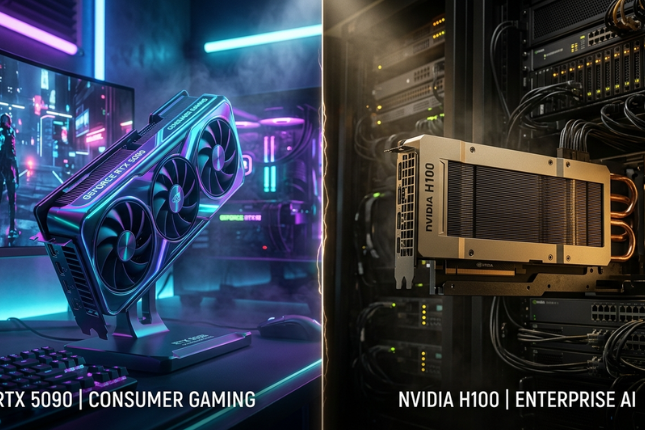
The GPU is no longer just for teenagers playing Fortnite. It’s a powerhouse for rendering websites, processing high-res photos, and even accelerating AI tasks. If your work involves anything visual, this is where your budget should go.
However, avoid the trap of “VRAM chasing.” Having 16GB of Video RAM on a weak chip is useless. Focus on the model tier (like an RTX 40-series or RX 7000-series). For those in the UK and USA where electricity costs are a factor, look at the “Performance per Watt.” A card that runs cooler and uses less power will save you a surprising amount of money on your utility bill over three years.
Storage and Power: The Unsung Heroes
You must use an NVMe SSD. Period. If you are still using a mechanical spinning hard drive (HDD) for your operating system, you are essentially driving a car with square wheels. An SSD makes your computer turn on in seconds rather than minutes.
Pair this with a high-quality Power Supply Unit (PSU). We’ve seen $2,000 systems die because someone bought a “no-name” $40 power supply. Look for an “80 Plus Gold” rating. It’s the insurance policy for your hardware. It ensures clean, stable power reaches your expensive components without frying them during a surge.
FAQ: Common PC Questions
Which component is most important for speed? The SSD is the most noticeable upgrade for general speed, followed closely by the CPU for processing tasks.
Can I mix different brands of RAM? It’s possible, but highly discouraged. Mixing brands can lead to system instability or the RAM running at the slowest stick’s speed.
Is liquid cooling better than air cooling? For most users, a high-quality air cooler is more reliable and easier to maintain. Liquid cooling is great for high-end aesthetics or extreme overclocking.
Conclusion
Building a balanced PC is about harmony, not just buying the most expensive part on the shelf. By prioritizing a solid CPU, sufficient RAM, and a fast SSD, you create a machine that stays snappy for years. Don’t let the marketing hype dictate your build—focus on your specific needs.