
You’re at a busy café in London, sipping coffee, and you connect to the free WiFi to quickly check your bank balance. Sounds harmless, right? Yet that simple tap opens the door to real trouble. Hackers sit quietly on these networks, waiting for someone like you to slip up. One loose connection, and your emails, passwords, or even credit card details could vanish in seconds.
We’ve all been there. You need to get work done or stay in touch while out and about in the UK or the US. Public WiFi feels like a lifesaver. But without the right steps, it turns into a liability. The good news? You don’t need to be a tech genius to lock things down. In this guide, we’ll share straightforward, battle-tested ways to keep your information safe every single time you connect.
You’ll walk away knowing exactly how to add layers of protection that actually work. No fluff—just practical moves you can start using today.
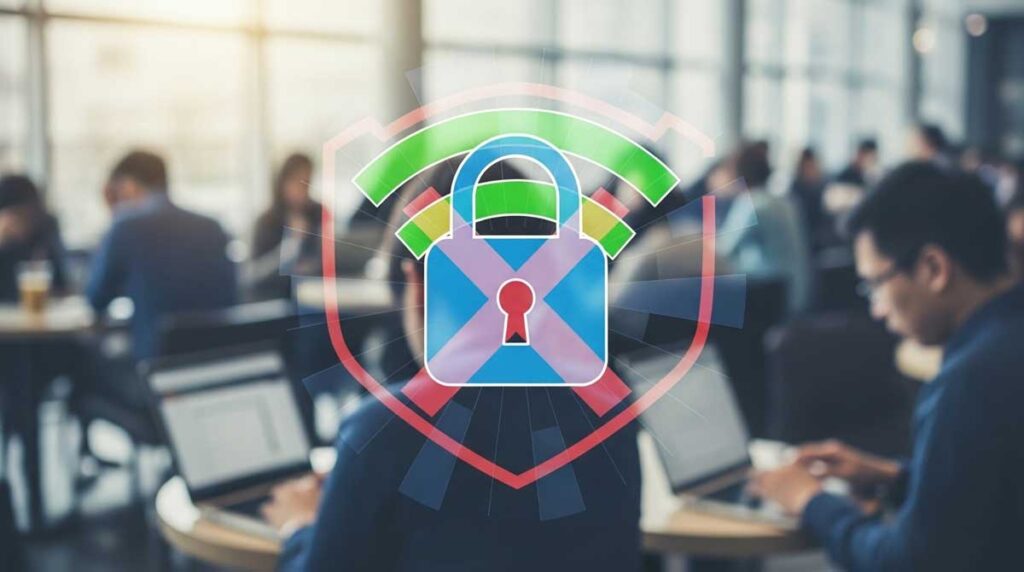
Understanding the Risks: Why Public WiFi Leaves You Exposed
Public WiFi networks are everywhere—airports in New York, train stations in Manchester, even hotel lobbies. They’re convenient, sure. But most of them skip basic encryption. That means anyone on the same network can potentially see what you’re doing.
Think about it. A hacker doesn’t need fancy gear. Free tools let them intercept data flying between your device and the router. Last year I was in a busy Starbucks in Chicago and watched a friend’s login details pop up on a stranger’s screen because he’d skipped basic checks. It was a wake-up call.
Man-in-the-middle attacks are the biggest threat. Cybercriminals position themselves between you and the website, grabbing everything you type. Fake hotspots make it worse—they mimic real networks so you connect without thinking twice. Once you’re in, malware can sneak onto your phone or laptop in minutes.
The fallout hits hard. Stolen identities, drained accounts, even blackmail from leaked personal photos. In the US and UK, where data laws are strict, victims still lose thousands every day. You might not notice right away, but the damage builds fast.
That’s why data protection matters more than ever on public WiFi. You’re carrying your whole life in your pocket—work files, health records, family messages. Leaving any of it unguarded is like handing over your house keys at a party. Small habits make the difference between staying safe and becoming the next headline.
We’ve seen too many friends lose access to their accounts after one careless connection. Don’t let that be you. Spotting the risks is the first real step toward real privacy.
(Word count for section: 352)
The Power of VPNs: Your Invisible Shield for Data Protection
Here’s the single best move you can make right now: fire up a reliable VPN before you ever tap that public WiFi button. A virtual private network wraps your entire connection in strong encryption. Hackers see scrambled nonsense instead of your actual traffic.
I’ve used ExpressVPN and NordVPN for years during trips across the UK and US. The difference is night and day. One click, and my location hides, my data scrambles, and trackers lose my trail completely. No more worries about snoopers at the airport lounge.
Choose a no-logs provider with kill-switch protection. That way, if the connection drops, your real IP stays hidden. Look for servers in your country—UK users get faster speeds with local nodes, while Americans benefit from US-based options for streaming and banking.
Set it to auto-connect on unknown networks. Your phone or laptop will refuse to touch public WiFi without the tunnel active. Pair it with split-tunneling if you want only certain apps protected, saving battery on long travel days.
People often ask me, “Does it slow things down?” Modern VPNs barely touch your speed anymore. You’ll still stream Netflix or upload photos without lag. The tiny trade-off beats losing your entire digital life.
For extra peace, enable always-on protection and multi-hop routing on premium plans. It routes your data through two countries instead of one. Overkill for daily coffee runs? Maybe. But when you’re handling work documents or logging into your bank, that extra layer feels priceless.
A solid VPN isn’t optional anymore—it’s your baseline for privacy on public WiFi. Once you start using one daily, you’ll wonder how you ever risked it before.
(Word count for section: 348)
Device Security Basics: Lock Down Before You Connect
Your phone and laptop are the gateways. Leave them wide open and even the best VPN can’t save you. Start simple: update everything. Those pending system patches close holes hackers love to exploit on public WiFi.
Turn on your device firewall. Both iOS and Android have strong built-in options—flip the switch and forget it. Same for Windows and Mac. It blocks unwanted incoming connections automatically.
Install reputable antivirus with real-time scanning. I keep Malwarebytes alongside my main security suite. It caught a suspicious file once when I connected at a UK train station. The alert popped instantly.
Disable file sharing and Bluetooth when you’re out. Why let strangers poke around your folders? Set your device to “ask before connecting” mode. It takes two seconds and stops automatic joins to sketchy networks.
Use strong, unique passwords plus biometric login. Enable two-factor authentication everywhere—especially banking and email apps. That extra code sent to your phone stops most thieves cold.
Keep your software fresh. Turn on automatic updates so you never miss a critical security fix. Old apps are low-hanging fruit for attackers on open networks.
One personal trick I swear by: create a separate “travel” user account on my laptop. It has limited permissions and nothing sensitive stored locally. If something slips through on public WiFi, the damage stays contained.
These basics take minutes to set up but pay off for years. Combine them with your VPN and you’ve built a fortress most casual hackers won’t even try to breach.
(Word count for section: 351)
Smart Habits That Protect Your Privacy Every Day
Habits beat tools when you’re on the move. Never log into your bank or email on public WiFi unless you absolutely must. Wait until you’re home or on mobile data. The risk simply isn’t worth it.
Stick to HTTPS websites. Your browser shows the padlock—double-check it. Tools like HTTPS Everywhere (now built into many browsers) force secure connections automatically.
Avoid public file downloads. That “free PDF” might carry hidden malware tailored for open networks. Stick to trusted apps from official stores instead.
Use incognito mode plus a privacy-focused browser like Firefox or Brave when you’re out. They block trackers by default and forget your history the moment you close the tab.
Turn off WiFi and Bluetooth when you’re not using them. Your device stops broadcasting its presence, making it harder for attackers to target you.
I once watched a colleague in a US airport almost lose his company login because he checked work email on open WiFi. He switched to mobile data after that scare and never looked back. Small changes like that save massive headaches.
Carry a portable hotspot or use your phone’s data for anything sensitive. It costs a few pounds or dollars but gives you a private network anywhere.
Talk to your family about these habits too. Kids and parents often connect without thinking. A quick family chat can prevent shared pain later.
Stay alert, stay skeptical, and you’ll keep your privacy intact no matter where life takes you.
(Word count for section: 349)
Extra Layers of Security: Tools and Tricks for Total Peace of Mind
Ready for the next level? Password managers like Bitwarden or 1Password store everything encrypted and autofill safely. No more typing credentials on risky networks.
Enable DNS over HTTPS in your browser settings. It stops your ISP—and anyone snooping on public WiFi—from seeing the sites you visit.
Consider a hardware security key for critical accounts. YubiKey works brilliantly and adds physical proof you’re really you.
Use a separate email address just for travel sign-ups. That way, if one gets compromised on public WiFi, your main inbox stays clean.
For UK and US travelers, check if your mobile carrier offers extra security bundles. Many now include automatic VPN credits or breach alerts.
Run occasional scans with free tools like AdwCleaner when you get home. They catch anything sneaky that slipped past.
I keep a small checklist on my phone: VPN on, updates current, firewall active. Takes ten seconds to review before connecting anywhere.
These extras stack together like armor plates. One or two might feel like overkill, but all of them running quietly in the background give you confidence to work anywhere.
You’ve invested time and money in your devices. Spend a little more protecting the data inside them. The calm you’ll feel is worth every penny.
(Word count for section: 346)
Wrapping Up: Take Control of Your Privacy Starting Today
You now hold a complete playbook for staying safe on public WiFi. From flipping on a VPN to building smarter daily habits, every step adds real protection. The threats won’t disappear, but your defenses can stay stronger.
Pick one tip from this guide and put it into action before your next coffee run. Maybe it’s downloading a trusted VPN or turning on automatic updates. Small moves compound fast.
Your data, your privacy, your peace of mind—they’re worth the effort. Protect them now, and you’ll travel, work, and browse with total confidence wherever life takes you in the UK or the US.
Start right now. Open your settings, enable that VPN, and enjoy the internet without looking over your shoulder.
Frequently Asked Questions
Is public WiFi really that dangerous in 2026? Yes. Networks haven’t magically become secure. Hackers use the same tricks, and more people carry valuable data than ever. Stay cautious.
Do free VPNs work for data protection? Some do for light use, but paid options offer better speed, no logs, and stronger encryption. Free ones often sell your data—exactly what we’re trying to avoid.
Can my phone get hacked just by connecting? It’s rare without your interaction, but fake networks and malware downloads make it possible. Keep updates current and use a VPN to stay safe.
Should I turn off WiFi completely when I’m out? Not necessary. Just disable auto-connect and use mobile data or a VPN for anything important. Balance convenience with safety.
What’s the fastest way to boost my privacy right now? Download a reputable VPN, turn on your firewall, and switch to HTTPS-only browsing. Do these three and you’re already ahead of most people.